
WebP to PNG Converter vs Adobe Express
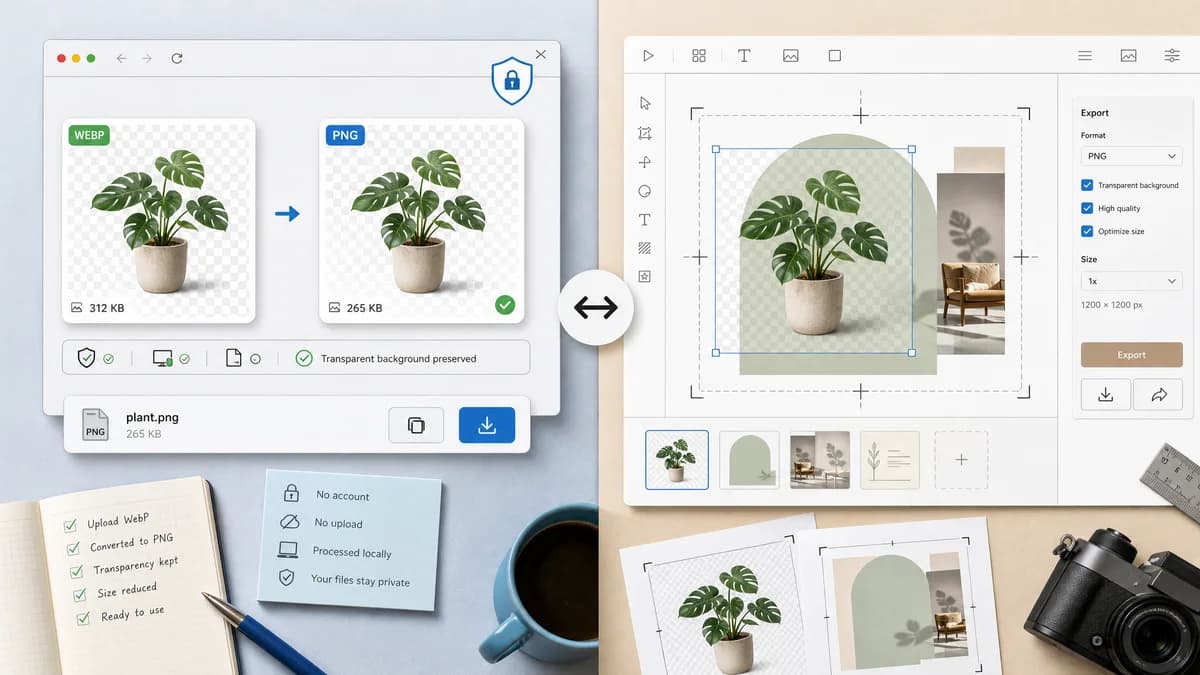
WebP to PNG Converter is the baseline in this comparison: Convert WebP images to PNG locally with image/png output checks, .png filenames, preserved dimensions, Blob validation, and alpha-preserving transparency handling.
Compare TextFaker's focused WebP to PNG converter with Adobe Express's design-suite-adjacent converter.
Quick verdict
Use TextFaker for quick private conversion and validation. Use Adobe Express when the converted PNG is part of a broader design or editing workflow inside Adobe's ecosystem.
How WebP to PNG Converter fits
TextFaker should be a utility-first browser-local converter with verifiable PNG output and no design account workflow. It should prioritize local processing, transparent WebP alpha preservation, and deterministic copy/download text.
How Adobe Express fits
Adobe Express offers a polished WebP to PNG converter connected to Adobe's broader design ecosystem. It is stronger when conversion is part of a design, editing, or content creation workflow.
Side-by-side comparison
| Decision point | WebP to PNG Converter | Adobe Express | Takeaway |
|---|---|---|---|
| Primary workflow | Our workflowConvert a WebP file to a PNG file locally and download it. | Competitor workflowConvert WebP to PNG inside a broader hosted design product context. | TextFaker is utility-first; Adobe Express is design-workflow-first. |
| Account and ecosystem | Our workflowShould not require an account for the first successful use within TextFaker's access model. | Competitor workflowPart of Adobe's product ecosystem and design tooling. | Adobe is stronger for integrated design users. |
| Privacy model | Our workflowLocal processing keeps image bytes on the device when implemented through browser APIs. | Competitor workflowHosted workflow asks users to upload the image to the service. | TextFaker is better for private files. |
| PNG use cases | Our workflowShould emphasize compatibility, transparent backgrounds, and verifiable output. | Competitor workflowOfficial page notes PNG is useful for transparent backgrounds and layering. | Both address compatibility; TextFaker should be more technical. |
| Editing scope | Our workflowNo editor; focused conversion and download. | Competitor workflowCan connect conversion to editing and design tasks. | Adobe Express wins when editing is the next step. |
| Validation | Our workflowShould show MIME, filename, dimensions, Blob, and alpha result information. | Competitor workflowFocuses on quick conversion rather than detailed output diagnostics. | TextFaker should serve QA and developer needs better. |
Use WebP to PNG Converter when
- Fast local conversion without entering a design editor
- Technical confirmation of image/png and .png output
- Transparent WebP assets that need PNG alpha preserved
Use Adobe Express when
- Users already working in Adobe Express
- Design workflows that continue after conversion
- Brand, social, or content assets that need additional editing
Detailed comparison
Quick verdict
Adobe Express is a design ecosystem competitor, not just a converter. TextFaker should avoid design-editor complexity and be the faster utility for users who only need a PNG file.
Content positioning
The page should explain that PNG is useful for compatibility and transparency while staying specific to WebP input. Avoid broad design claims that Adobe and Canva own more naturally.
Access model
TextFaker's one-free-use and lifetime unlock model should not leak into comparison copy beyond factual access language. The comparison should focus on workflow and output validation.
Generated detail image
Use a 16:9 image showing a transparent product sticker exported as PNG with validation chips, not a full design editor mockup.
Research notes
- Adobe Express's official page describes a fast, free, easy WebP to PNG converter.
- The page discusses PNG suitability for transparent backgrounds, logos, graphics, and layering.
- This comparison should treat Adobe Express as a design-suite-adjacent hosted converter.
Official source
The only outbound competitor link on this page is placed here for source checking after the comparison.
Official Adobe Express source