
WebP to PNG Converter vs Canva
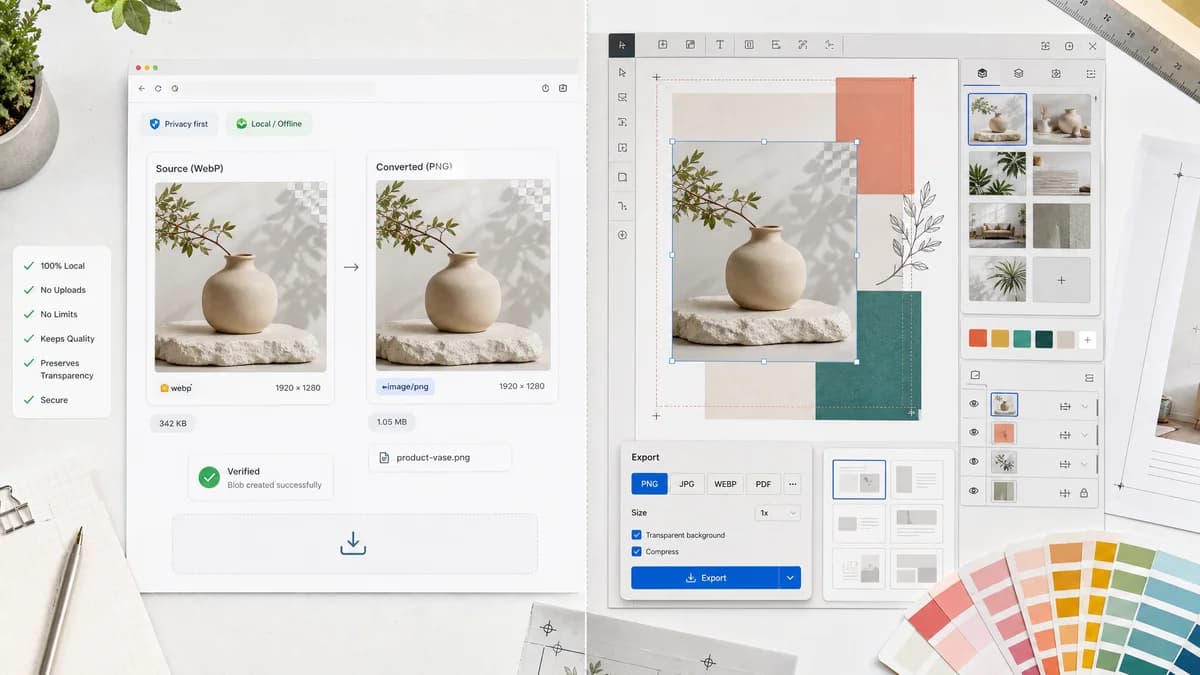
WebP to PNG Converter is the baseline in this comparison: Convert WebP images to PNG locally with image/png output checks, .png filenames, preserved dimensions, Blob validation, and alpha-preserving transparency handling.
Compare TextFaker's browser-local WebP to PNG converter with Canva's conversion flow inside a broader design platform.
Quick verdict
Use TextFaker when the job is simply to convert a WebP to a verified PNG locally. Use Canva when the PNG is part of a design workflow with editing, templates, or brand assets.
How WebP to PNG Converter fits
TextFaker should deliver a focused local conversion page for WebP files that produces PNG output with preserved dimensions, alpha, image/png MIME, .png filename, and generated Blob checks.
How Canva fits
Canva offers a WebP to PNG converter connected to its design editor, upload flow, and broader creative platform. It is stronger when users want to convert and continue editing or designing.
Side-by-side comparison
| Decision point | WebP to PNG Converter | Canva | Takeaway |
|---|---|---|---|
| Workflow focus | Our workflowSingle-purpose WebP input to PNG output. | Competitor workflowUpload, edit in a design workflow, then download as PNG. | TextFaker should be faster for pure conversion. |
| Upload limits and constraints | Our workflowShould rely on browser memory and supported WebP decoding, with clear file errors. | Competitor workflowOfficial FAQ mentions file size and pixel count constraints for the Canva flow. | TextFaker should document practical browser limits if needed. |
| Privacy model | Our workflowLocal processing avoids uploading the selected image. | Competitor workflowHosted upload workflow tied to Canva's service. | TextFaker wins for sensitive images. |
| Transparency | Our workflowShould preserve alpha in PNG output and avoid matte flattening. | Competitor workflowPNG download supports transparent use cases, but the flow is broader than alpha validation. | TextFaker should make the transparent WebP test case explicit. |
| Editing support | Our workflowNo editing beyond conversion. | Competitor workflowCan continue into Canva's editor for touch-ups and design work. | Canva is stronger when the converted image needs design edits. |
| Result verification | Our workflowShould show image/png, .png, dimensions, Blob, file size, and copyable summary. | Competitor workflowFocuses on successful download rather than detailed file diagnostics. | TextFaker can be more useful for technical validation. |
Use WebP to PNG Converter when
- Private one-off WebP to PNG conversion
- Users who do not need templates or a design canvas
- Alpha-preserving PNG export with technical checks
Use Canva when
- Users already creating in Canva
- Conversion followed by design edits or background work
- Marketing and social content workflows
Detailed comparison
Quick verdict
Canva is better for design continuation. TextFaker should be better for users who have a WebP and only need a trustworthy PNG file without entering a creative suite.
Page copy
The TextFaker page should avoid template, brand-kit, and design-editor language. The strongest copy is about local conversion, compatibility, transparency, and verified output.
Browser errors
If a browser cannot decode a given WebP, the UI should return a clear unsupported or failed decode message without consuming a successful use. Successful use should count only after a PNG Blob is produced.
Generated detail image
Use a 16:9 image showing a simple WebP file card converted to a PNG file card beside transparent overlay artwork, with no design-suite canvas dominating the scene.
Research notes
- Canva's official page describes converting WebP to PNG and then downloading the design as PNG.
- The official FAQ mentions upload size and total pixel constraints.
- This comparison should frame Canva as a hosted design platform, not just a utility converter.
Official source
The only outbound competitor link on this page is placed here for source checking after the comparison.
Official Canva source